Loki's Tale
Pong | Rougelike | Nordic mythology
A pong roguelike based on nordic mythology

Summary
Loki’s Tale is a pong roguelike based on nordic mythology, where I mainly worked on item and upgrade systems, gameplay effects of items, and all of the UI. I learned a lot of how important communication is when working in a team, and staying coordinated while working. I often needed to learn on the fly to make gameplay features work.
Project Info
Team Size: 3
Project Duration: 5 weeks
Engine: Godot
Roles: Gameplay/System/UI programmer
Other Tools: Perforce, Miro, Jira
Introduction
Loki's Tale is a pong roguelike based on nordic mythology. The goal of the game is to traverse stages to reach Valhalla, in each stage there's a key that needs to be gathered to open the boss room, where you need to fight the stage boss. When traversing the stage there's a chance of encountering an enemy where you would need to fight in a game of pong. After defeating an enemy you can choose an item that gives power ups and special effects.
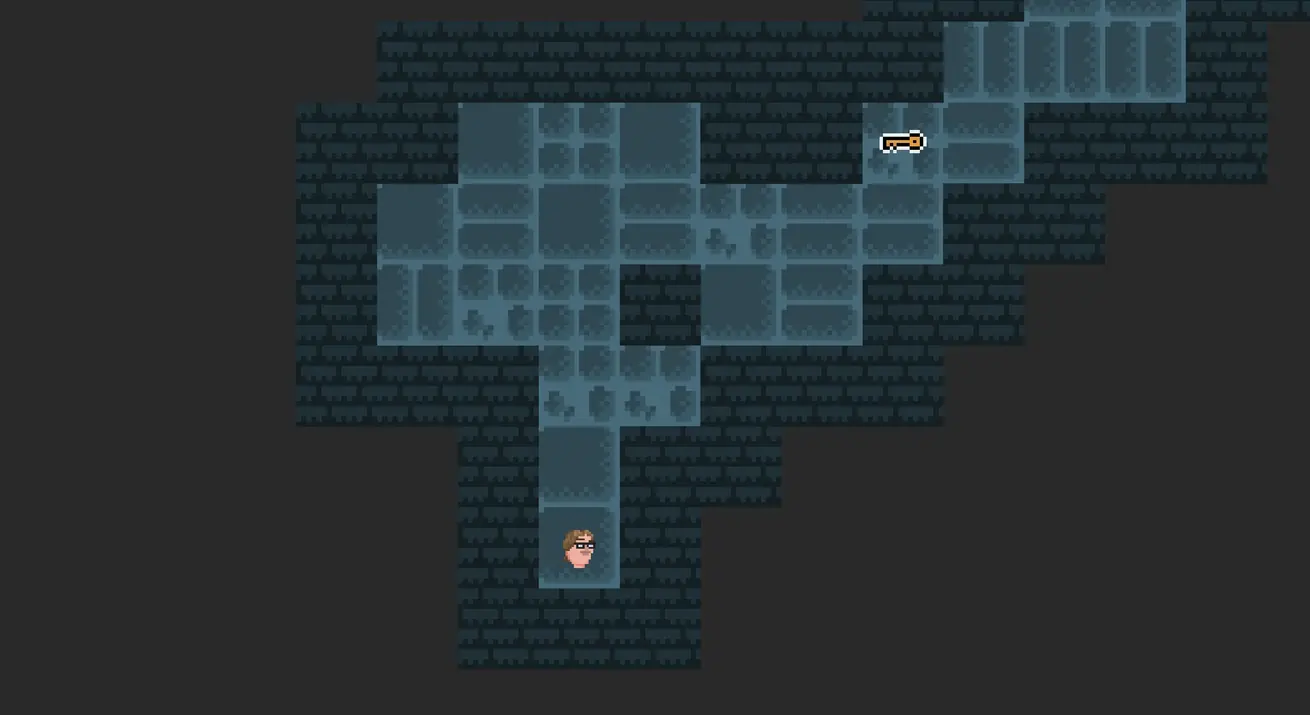
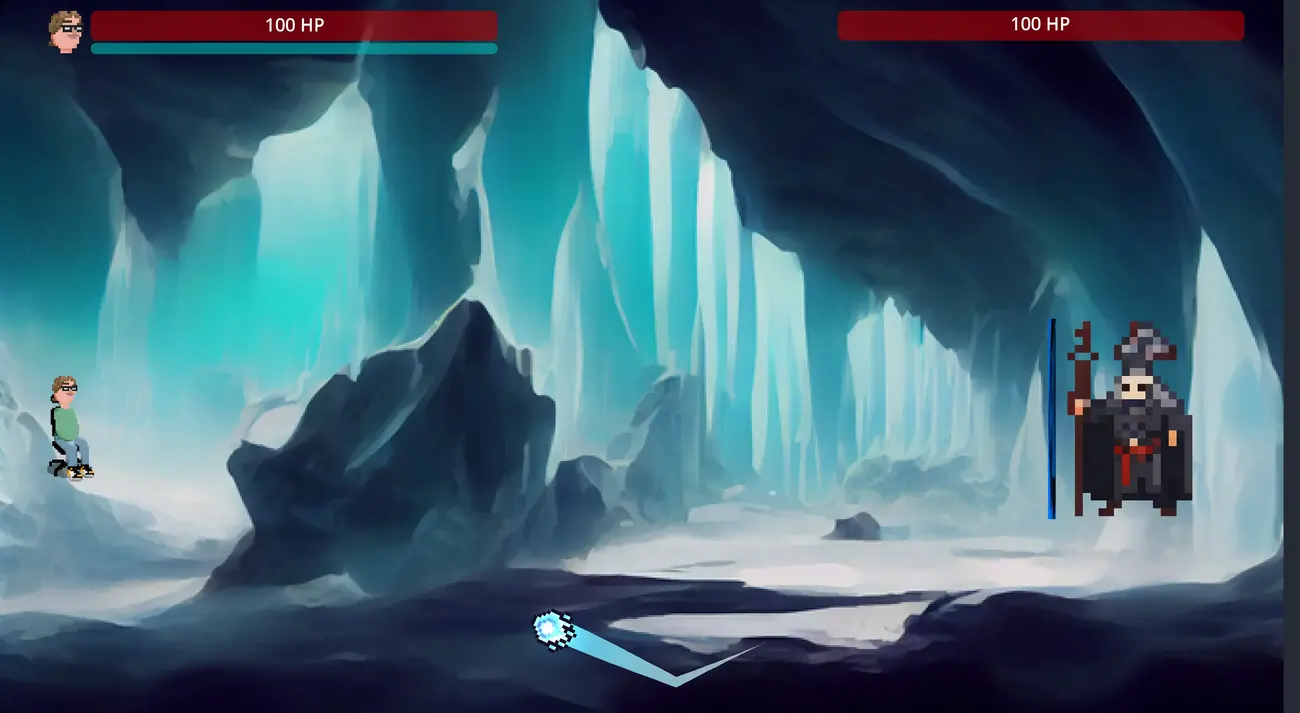
This was a school project done during my high school education where I worked on the Ui design and implementation, the items and upgrade system, and gameplay mechanics.
I implemented the damage and special effects of items and how they would interact in a pong match. We used a JSON file for storing information about items and how they would upgrade when having multiple of them. I made the JSON parser and how the date would be matched when the player got an item.
I made all UI elements and did the implementation for the game, also worked on the sound and music design and implementation.
This project was written in GD script because the whole team had the opinion that it would be the easiest way to work with Godot, and an easy language to learn.
Items & Upgrades
As mentioned in the introduction we used a JSON file to store item data and how they upgrade when having multiple of them. I wrote a parser so it collected all necessary data so it could be used for the player while in combat and for the upgrade system to display details of each item after defeating an enemy.
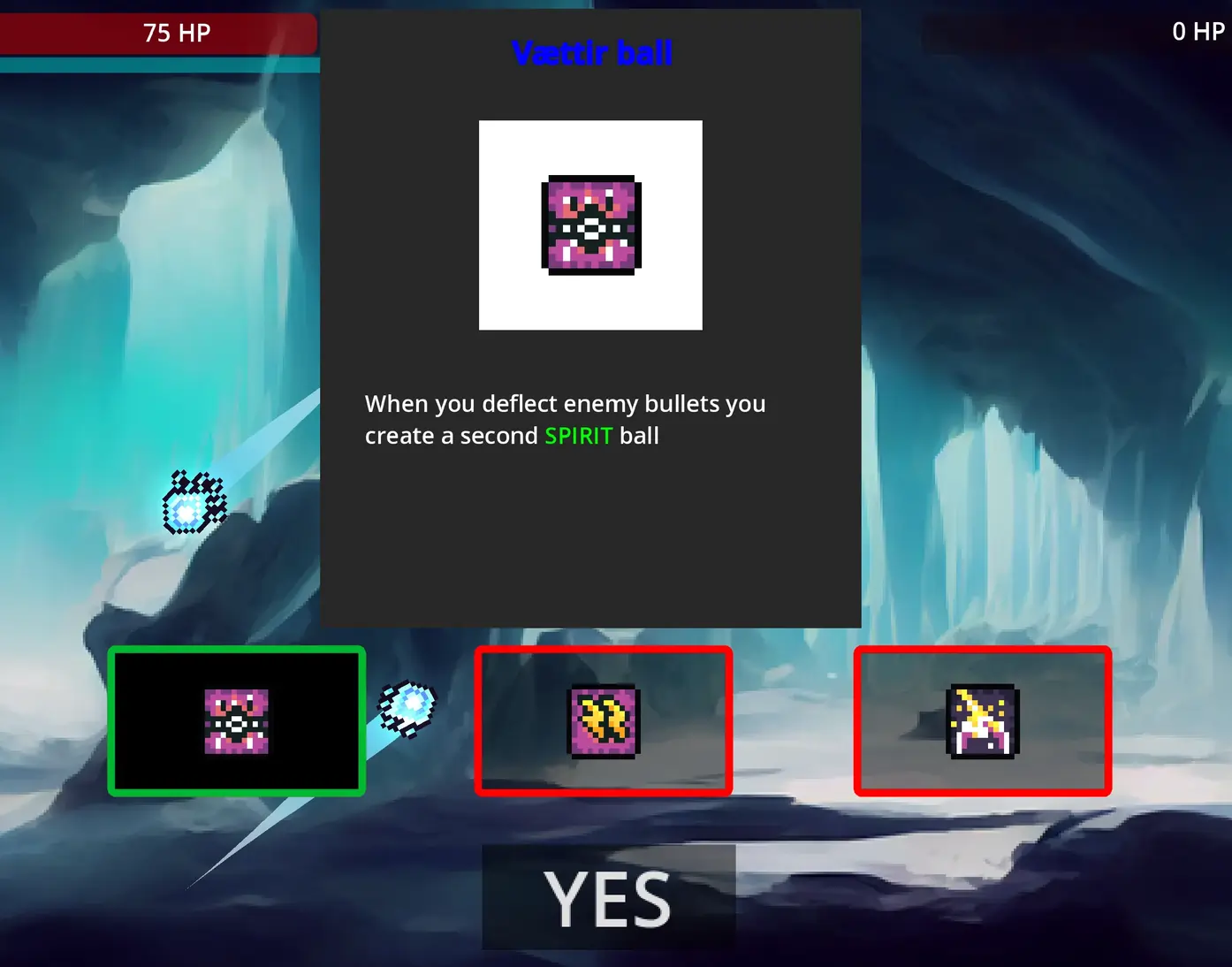
The item system randomly chooses three items that gets generated and presented for the player. The player can choose one of these items that impacts the gameplay; if the player already has the item, the item in question gets upgraded with better stats or effects.
When an item gets selected the description UI changes giving a description of the item and changing the image. When the player presses “Yes” after selecting an item, it is given to the player and is permanently active during the players run.
Some challenges I had with this system was making the detailed text have special effects when being generated, being able in the JSON file to have tags in the text to highlight certain words. My solution for this was using Rich Text and using text find. When a tag was found I switched the tag to a corresponding effect tag, that rich text has, and the same for the closing tag, closing the effect.
extends Node

var data_file_path = "res://Scenes/Item/item.json"

func json_file_size():
	if FileAccess.file_exists(data_file_path):
		var data_file = FileAccess.open(data_file_path, FileAccess.READ)
		var parse_result = JSON.parse_string(data_file.get_as_text())
		if parse_result is Array:
			return parse_result.size() - 1
		else:
			print("Error cant get size")
	else:
		print("file no exist!")

func load_json_file(fil_path : String, id):
	if FileAccess.file_exists(fil_path):
		var data_file = FileAccess.open(fil_path, FileAccess.READ)
		var parse_result = JSON.parse_string(data_file.get_as_text())
		if parse_result is Array:
			return parse_result[id]
		else:
			print("Error reading file!")
	else:
		print("file no exist!")

func get_json_spesific(object, id):
	var item_data = load_json_file(data_file_path, id)
	return item_data[object]

func get_json_stats(object, id):
	var item_data = load_json_file(data_file_path, id)
	return item_data["stats"][object]

func get_json_name(id):
	return get_json_spesific("name", id)

func get_json_desc(id):
	return get_json_spesific("desc", id)

func get_json_ability(id):
	return get_json_spesific("ability", id)

func get_json_rarity(id):
	return get_json_spesific("rarity", id)

func get_json_element(id):
	return get_json_spesific("element", id)

func get_json_damage(id):
	return get_json_stats("damage", id)

func get_json_hp(id):
	return get_json_stats("hp", id)

func get_json_luck(id):
	return get_json_stats("luck", id)

func get_json_movment_speed(id):
	return get_json_stats("movment_speed", id)

func get_json_ball_speed(id):
return get_json_stats("ball_speed", id)extends Control
var labol_color = "blue"
var pros_color = "green"
var cons_color = "red"
signal yes_button_pressed
signal no_button_pressed
var random_item_index
var item_stats : Array = []
var item : Array
var item_index : Array
var item_url = "res://Assets/Img/Item Icons/"
var dot_png = ".png"
func _ready():
item_stats = []
var json = $JsonData
var json_size = json.json_file_size()
$Item/BackPanel/ItemName.append_text("[font_size={20}][color=" +
labol_color + "][center][b]Select item[/b][/center][/color][/font_size]")
# Ska göra till en loop för knapparna
for i in range(3):
random_item_index = (randi_range(0, json_size))
while (item_index.count(random_item_index) > 0):
random_item_index = (randi_range(0, json_size))
add_to_item_stats(json, random_item_index)
item.append_array([item_stats])
item_index.append(random_item_index)
give_data_to_switch()
func show_ui_item():
show()
$GetItem.play()
func set_label_name(name):
var label_name = $Item/BackPanel/ItemName
label_name.clear()
#Namn kan inte vara över 34 tecken, anars försviner texten
label_name.append_text("[font_size={20}][color=" +
labol_color + "][center][b]" +
name + "[/b][/center][/color][/font_size]")
func set_image(image_name):
$Item/BackPanel/ImagePanel/Image.texture = load(item_url + image_name + dot_png)
func set_decsription(text):
var decript = $Item/BackPanel/Decription
decript.clear()
var text_lengt = len(text)
var count_pros = text.count("<green>", 0, text_lengt )
var count_cons = text.count("<red>", 0, text_lengt )
var word_index1 = 0
var word_index2 = 0
for n in range(count_pros):
word_index1 = text.find("<green>", word_index1) + 7
word_index2 = text.find("</green>", word_index1)
var test = text.substr(word_index1, word_index2 - word_index1)
test = test.to_upper()
text = text.replacen(test, test)
word_index1 = 0
word_index2 = 0
for n in range(count_cons):
word_index1 = text.find("<red>", word_index1) + 5
word_index2 = text.find("</red>", word_index1)
var test = text.substr(word_index1, word_index2 - word_index1)
test = test.to_upper()
text = text.replacen(test, test)
text = text.replace("<green>", "[color=" + pros_color + "]" )
text = text.replace("</green>", "[/color]")
text = text.replace("<red>", "[color=" + cons_color + "]")
text = text.replace("</red>", "[/color]")
text = "[font_size={15}]" + text + " [/font_size]"
decript.append_text(text)
func add_to_item_stats(json, random_item_index):
item_stats = []
item_stats.append(json.get_json_name(random_item_index))
item_stats.append(json.get_json_desc(random_item_index))
item_stats.append(json.get_json_ability(random_item_index))
item_stats.append(json.get_json_rarity(random_item_index))
item_stats.append(json.get_json_element(random_item_index))
item_stats.append(json.get_json_damage(random_item_index))
item_stats.append(json.get_json_hp(random_item_index))
item_stats.append(json.get_json_luck(random_item_index))
item_stats.append(json.get_json_movment_speed(random_item_index))
item_stats.append(json.get_json_ball_speed(random_item_index))
#If you find a duplicet it upgrades that items stats
item_stats.append(1)
func give_data_to_switch():
var switch = $UI_SwichItem
switch.on_item_start(item, item_index)
func _on_ui_swich_item_button_1():
set_label_name($UI_SwichItem.send_name)
set_image($UI_SwichItem.send_name)
set_decsription($UI_SwichItem.send_desc)
func _on_ui_swich_item_button_2():
set_label_name($UI_SwichItem.send_name)
set_image($UI_SwichItem.send_name)
set_decsription($UI_SwichItem.send_desc)
func _on_ui_swich_item_button_3():
set_label_name($UI_SwichItem.send_name)
set_image($UI_SwichItem.send_name)
set_decsription($UI_SwichItem.send_desc)
func _on_ui_swich_item_yes_button():
hide()What I learned
This being the first game project in a team, it was a great learning opportunity. I learned the importance of communicating ideas and deciding a direction to move a project forward, planning what we would need to make this project possible. Often I need to work on stuff I didn't know how they worked, but still managed to deliver - quickly learning about systems and then needing to apply them to our project.
Learned how important communication is in a team, knowing what others are working on and what things already were done. We both used Trello to keep track of what was done and what needed to be worked on, and a whiteboard writing what each one of use was working on.